
Description
Overview
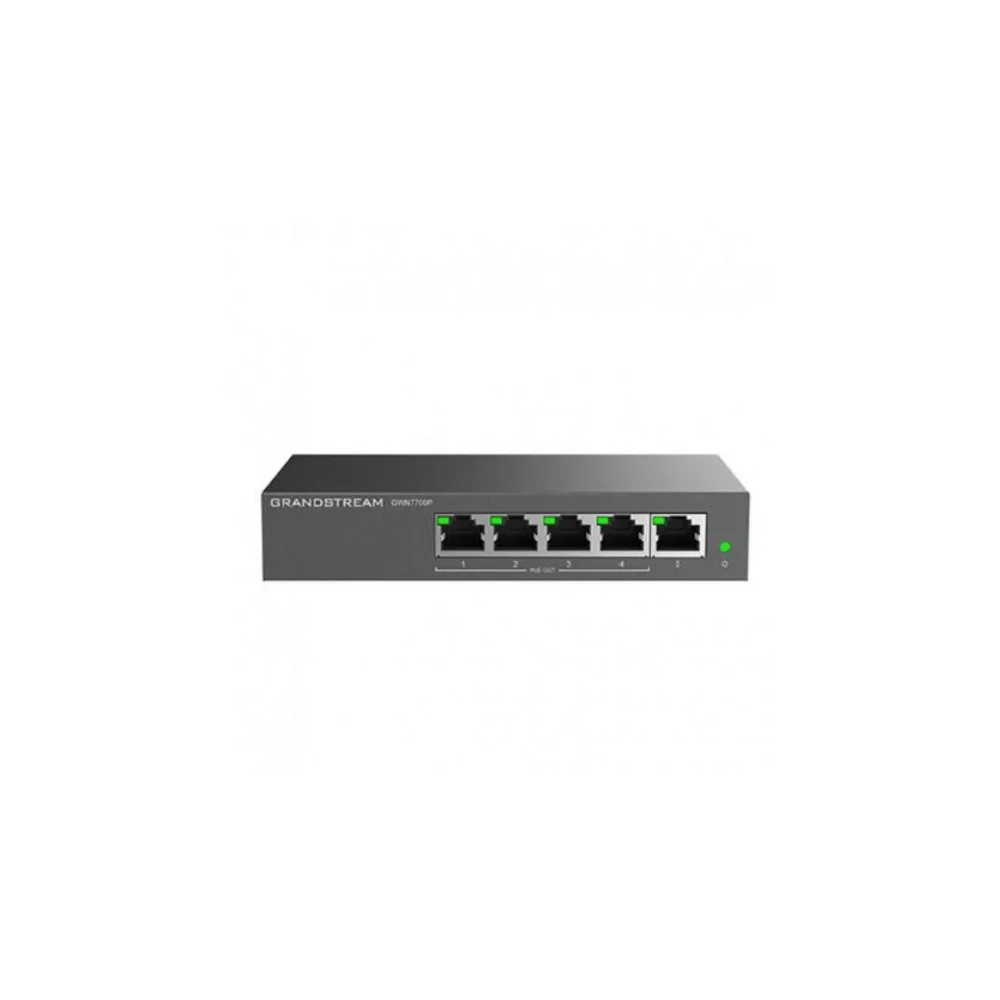
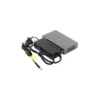
Add fast, reliable Gigabit connectivity to your network in minutes with the Grandstream GWN7700P 5-Port Gigabit Unmanaged PoE+ Network Switch, a plug-and-play switch designed for home offices and small-to-medium businesses. With 5 Gigabit RJ45 ports, 4 of which deliver PoE+ power, and a 60W total power budget, the GWN7700P is a simple, cost-effective way to power and connect IP phones, Wi-Fi access points, and IP cameras without extra adapters.
Requiring no configuration or installation, the GWN7700P automatically negotiates link speed on every port and provides smart, dynamic PoE output so each connected device gets the power it needs. Its compact metal enclosure is desktop or wall-mountable, making it a tidy addition to any small network setup.
Quick Specs
- Product Type: Unmanaged Gigabit PoE+ Network Switch
- Total Ports: 5 x Gigabit RJ45 (10/100/1000Mbps)
- PoE Ports: 4 (Ports 1–4)
- PoE Standards: IEEE 802.3af/802.3at (PoE+)
- Power per Port: Up to 30W
- Total PoE Power Budget: 60W
- Switching Capacity: 10Gbps
- Configuration: Plug-and-play, no setup required
- Enclosure: Metal, desktop or wall-mountable
- Traffic Management: QoS (802.1p/DSCP), IGMP snooping and fast leave, storm control
- MAC Address Table: 2K entries
- Jumbo Frame Support: Up to 9KB
- Ideal For: Home offices, small-to-medium businesses, VoIP and surveillance deployments
Why Buy
- Zero-configuration setup: The GWN7700P works straight out of the box with no software or configuration required, making it ideal for quick network expansions.
- Power and data over one cable: Four PoE+ ports with a 60W total power budget let you run IP phones, access points, and cameras without separate power adapters.
- Smart, dynamic power delivery: Intelligent PoE output ensures each connected device receives the power it needs, with automatic prioritisation if the power budget is exceeded.
- Full Gigabit speed: All five ports support Gigabit connectivity with auto-negotiation and auto MDI/MDIX, removing the need for crossover cables.
- Reliable traffic handling: Built-in QoS, IGMP snooping, and storm control help keep network performance smooth even as more devices are added.
- Flexible, tidy installation: A compact metal enclosure can be placed on a desktop or mounted on a wall, keeping the switch out of the way.
- Energy-efficient design: Green technology helps minimise power consumption while maintaining full switching performance.
Insights
The Grandstream GWN7700P is built for the everyday scenario where a home office or small business simply needs a few more reliable, powered Ethernet ports — without the cost or complexity of a fully managed switch. As part of Grandstream’s GWN7700 unmanaged switch series, it sits at the compact end of the range, offering 5 Gigabit ports where larger models in the same family scale up to 8, 16, 24, or even 48 ports.
Its main appeal is simplicity paired with capability: connect it to your network and it works immediately, with smart dynamic PoE output automatically managing power delivery across its four PoE+ ports. This makes it a practical choice for adding a couple of IP phones, a Wi-Fi access point, and an IP camera to a small network, all powered directly through the switch rather than individual adapters.
Despite its unmanaged, plug-and-play design, the GWN7700P isn’t short on useful networking features — QoS, IGMP snooping, and storm control help keep traffic well-behaved even as more devices join the network, making it a solid, no-fuss foundation for small deployments.
Key Features
5 Gigabit Ethernet Ports
The GWN7700P provides 5 x 10/100/1000Mbps RJ45 ports with auto-negotiation and auto MDI/MDIX, automatically detecting link speed and eliminating the need for crossover cables.
4 PoE+ Ports with 60W Power Budget
Ports 1 through 4 are 802.3af/802.3at (PoE+) compliant, delivering up to 30W per port within a total power budget of 60W, enough to power multiple IP phones, access points, or cameras.
Smart Dynamic PoE Output
The switch uses smart, dynamic PoE technology to allocate power intelligently across connected devices, automatically cutting power to the lowest-priority port if the total budget is exceeded.
10Gbps Switching Capacity
With a 10Gbps switching capacity, a 2K MAC address table, and support for 9KB jumbo frames, the GWN7700P handles everyday small-network traffic smoothly.
Zero-Configuration Deployment
The GWN7700P is a true plug-and-play unmanaged switch, requiring no configuration or installation before use.
Traffic Management Features
Built-in support for QoS (802.1p/DSCP), IGMP snooping and fast leave, and broadcast/multicast/unicast storm control helps maintain stable network performance.
Compact, Flexible Enclosure
A durable metal enclosure supports both desktop placement and wall mounting, allowing the switch to fit discreetly into any small office or home setup.
Energy-Efficient Operation
The GWN7700P is designed with green technology to reduce power consumption while maintaining full performance, with a base system consumption of just 2W excluding PoE output.
Clear Status Indicators
Per-port link/activity LEDs and a device power LED make it easy to check connection and power status at a glance.
Use Cases
- Home Offices: Add a handful of reliable, powered Ethernet ports to a home network without extra configuration.
- Small Businesses: Expand Gigabit connectivity for desktop PCs, printers, and other wired devices.
- VoIP Deployments: Power multiple IP phones directly through the switch’s PoE+ ports.
- Wi-Fi Access Point Installations: Provide power and data to one or more PoE-powered access points.
- Surveillance Systems: Power and connect PoE-enabled IP cameras without separate injectors.
- Quick Network Expansions: Add extra ports to an existing network segment with zero setup time.
Is It Right?
This switch is a great choice if you:
- Need a simple, plug-and-play switch with no configuration required.
- Want to power IP phones, access points, or cameras directly through PoE+.
- Only need a small number of additional Gigabit ports (5 or fewer).
- Prefer a compact, desktop or wall-mountable switch for a tidy installation.
- Want basic traffic management (QoS, IGMP snooping, storm control) without a managed switch’s complexity.
- Are setting up a small home office or small business network.
You may want to consider another option if you:
- Need more than 5 ports (consider the GWN7701P, GWN7701PA, or GWN7702P in the same series).
- Require advanced management features such as VLANs, port mirroring, or remote configuration (consider a managed Grandstream switch instead).
- Need more than 60W of total PoE power budget for your connected devices.
- Require rack-mount installation for a data cabinet or server room.
Specifications
| Product Type | Unmanaged Gigabit PoE+ Network Switch |
| Total Ports | 5 x 10/100/1000Mbps RJ45 Gigabit ports |
| PoE Ports | 4 (Ports 1–4) |
| PoE Standards | IEEE 802.3af, IEEE 802.3at (PoE+) |
| Power per Port | Up to 30W |
| Total PoE Power Budget | 60W (overload cuts power to lowest-priority port; priority Port 4 to Port 1) |
| Switching Capacity | 10Gbps |
| MAC Address Table | 2K entries |
| Jumbo Frame Support | Up to 9KB |
| Network Protocols | IEEE 802.3i, IEEE 802.3u, IEEE 802.3ab, IEEE 802.3x, IEEE 802.1p |
| Network Media | 1000Base-T/100Base-TX/10Base-T, Half/Full-Duplex |
| Auto Negotiation / MDI-MDIX | Yes, on all ports |
| Traffic Management | QoS (802.1p/DSCP), IGMP snooping and fast leave, storm control |
| Enclosure | Metal |
| Mounting | Desktop or wall-mount |
| Base System Power Consumption | 2W (excluding PoE output power) |
| LED Indicators | Per port: Link/Activity (green); Per device: Power (green) |
| Configuration | Unmanaged, plug-and-play (no configuration required) |
Compatibility
- Grandstream IP Phones: Power compatible desk phones directly through the switch’s PoE+ ports.
- Grandstream Wi-Fi Access Points: Power and connect GWN series access points without a separate injector.
- PoE-Enabled IP Cameras: Compatible with standard 802.3af/802.3at PoE-powered surveillance cameras.
- GWN7700 Series: Part of a wider family of unmanaged switches offering 5, 8, 16, 24, or 48 Gigabit ports with 4 or 8 port PoE+ output on PoE-capable models.
Setup
- Choose a location for the GWN7700P, either on a desktop or mounted on a wall.
- Connect the switch to your network using an Ethernet cable from your router or main network switch.
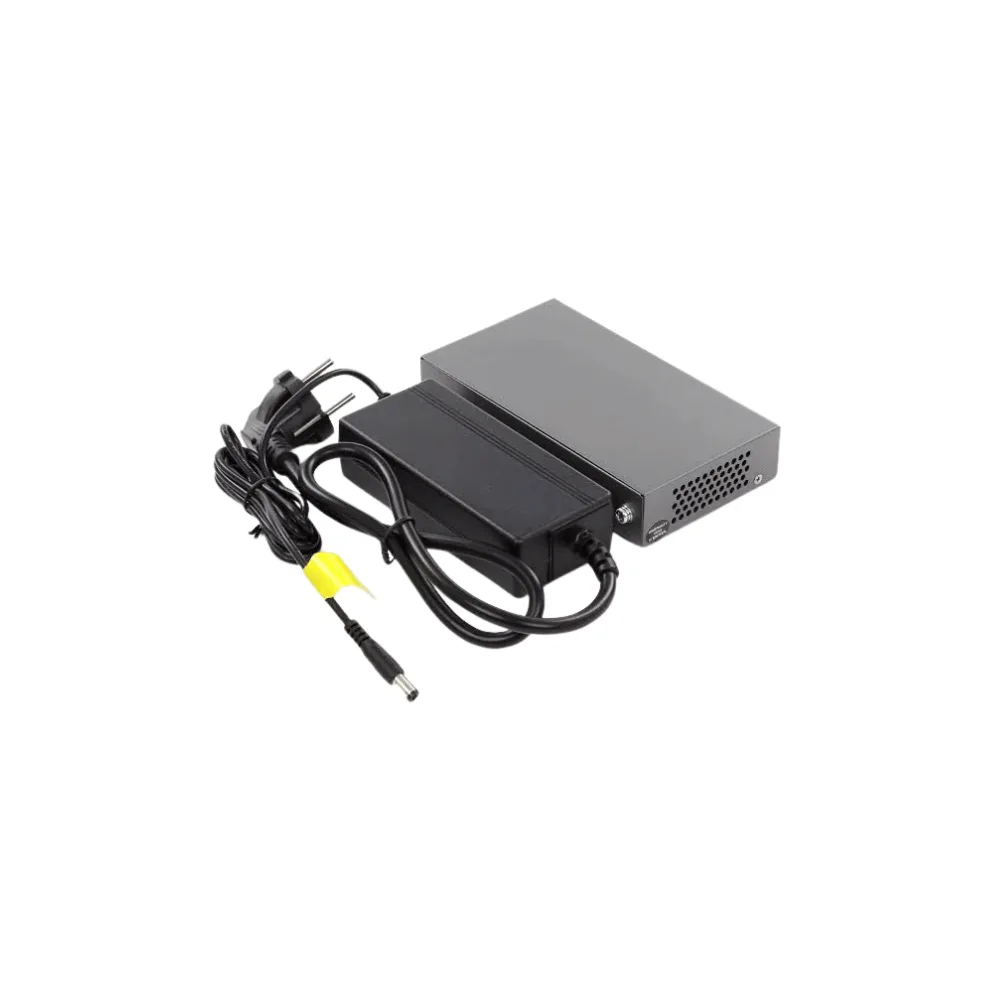
- Plug in the power adapter to power the switch itself.
- Connect your devices to the remaining ports — use Ports 1–4 for PoE-powered devices such as IP phones, access points, or cameras.
- Check the LED indicators to confirm link, activity, and power status on each connected port.
- No further configuration is needed — the GWN7700P is ready to use immediately.






Reviews
There are no reviews yet