
Description
Overview
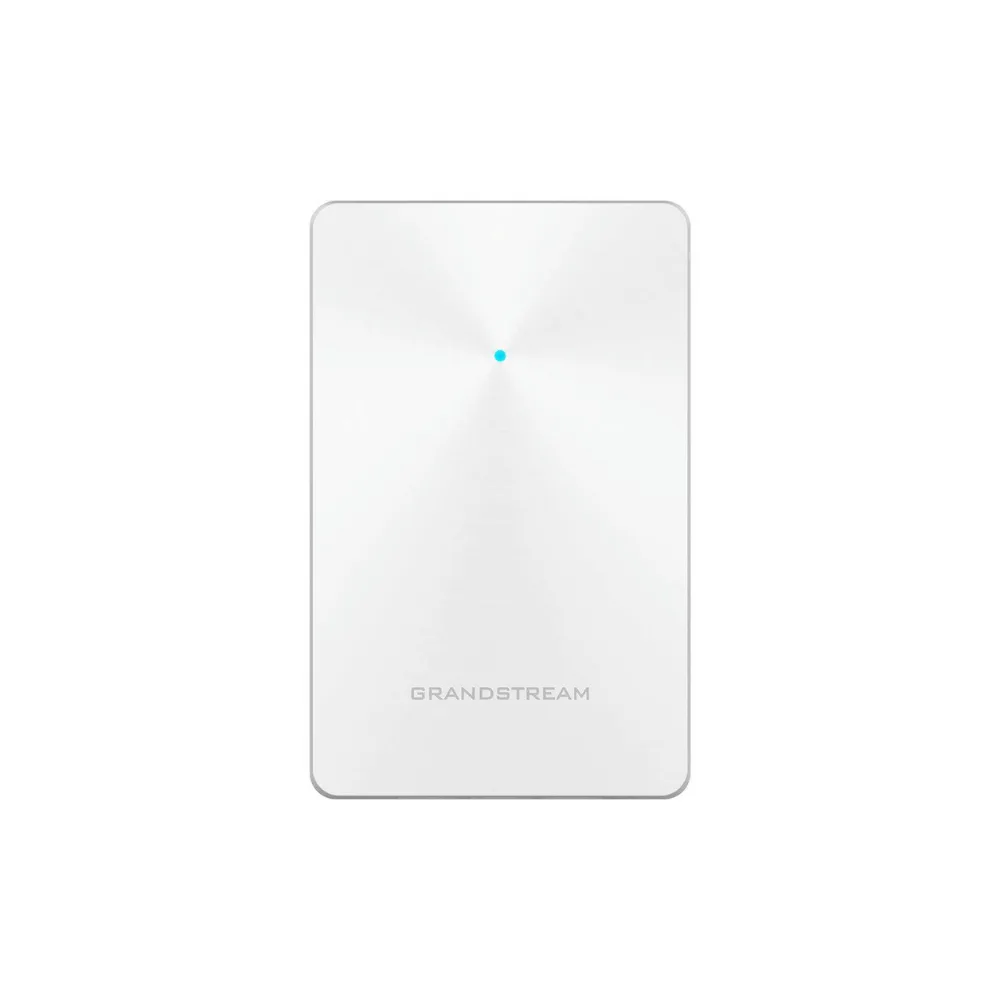
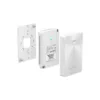
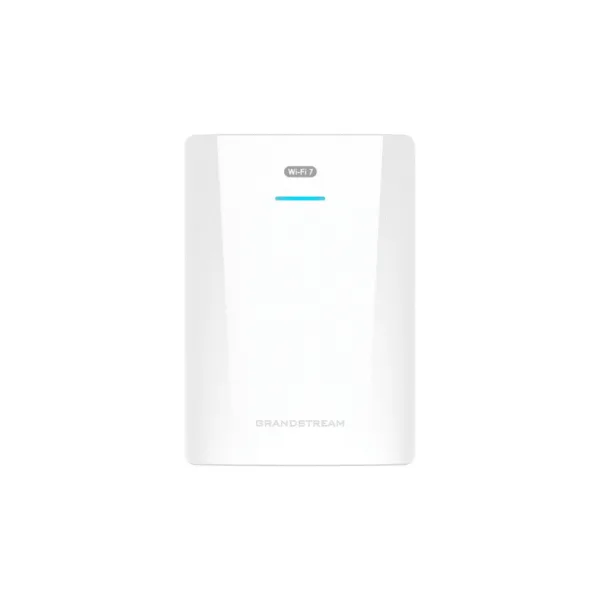
Deliver clean, high-performance Wi-Fi without visible hardware using the Grandstream GWN7624 In-Wall Wi-Fi Access Point, a discreet in-wall AP designed for hotels, offices, residential units, and commercial spaces. Combining 2.03Gbps combined wireless throughput, 4 Gigabit ports, PoE/PoE+ support, and 5GHz 4×4:4 MU-MIMO, the GWN7624 delivers strong Wi-Fi performance while also providing wired Ethernet to nearby devices.
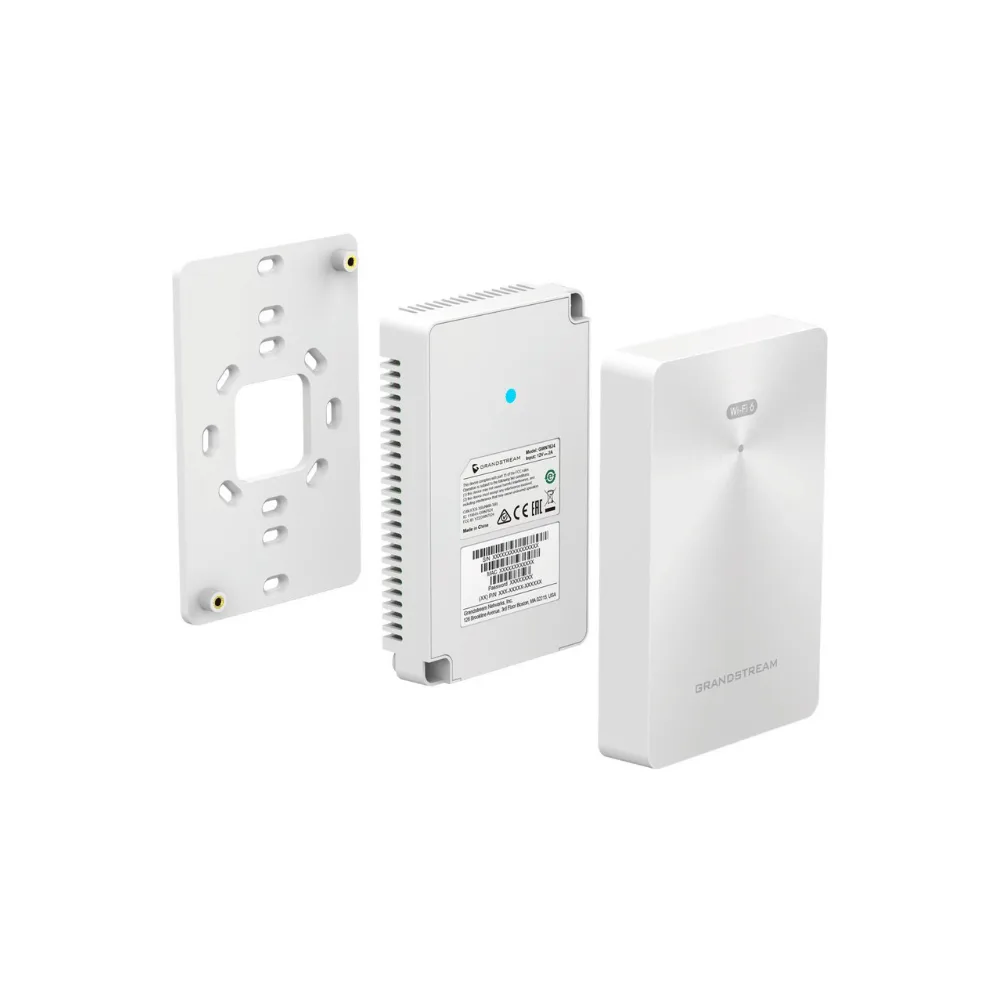
Designed to mount directly inside a standard wall box, the GWN7624 replaces a traditional wall plate with a combined Wi-Fi access point and Ethernet switch. With support for up to 200 concurrent client devices, controller-less management, and Grandstream’s GWN.Cloud and GWN Manager platforms, it’s built for medium-density deployments that need reliable coverage without exposed access point hardware.
Quick Specs
- Product Type: In-Wall Wi-Fi Access Point
- Wireless Standard: 802.11a/b/g/n/ac (Wi-Fi 5)
- Combined Throughput: Up to 2.03 Gbps
- Antenna Configuration: 2.4GHz 2×2:2 MIMO, 5GHz 4×4:4 MU-MIMO
- Ethernet Ports: 4 Gigabit ports (3 downlink + 1 uplink)
- Power: PoE/PoE+ on uplink port; 2 downlink ports pass through PoE
- Concurrent Clients: Up to 200 per AP
- Management: Controller-less, embedded web UI; GWN.Cloud and GWN Manager support
- Security: WPA3, WPA/WPA2-PSK, WPA/WPA2 Enterprise, anti-hacking secure boot
- Mounting: In-wall installation into standard wall box
- Advanced Features: Mesh networking, captive portal, advanced QoS
- Ideal For: Hotels, offices, residential units, SMBs, and commercial locations
Why Buy
- Discreet, professional installation: Mounting in-wall keeps the access point flush with the wall, avoiding the bulk of a ceiling- or wall-mounted unit.
- Wi-Fi and Ethernet in one device: Four Gigabit ports let the GWN7624 double as a small switch, powering IP phones, TVs, and computers directly from the wall plate.
- Strong wireless performance: 2.03Gbps combined throughput and 5GHz 4×4:4 MU-MIMO help support demanding, multi-device environments.
- Simplified power delivery: PoE/PoE+ input on the uplink port removes the need for a separate power outlet near the installation point.
- Controller-less management: An embedded web-based controller keeps deployment straightforward, with optional GWN.Cloud or GWN Manager for centralised, multi-site oversight.
- Built-in security: WPA3 support, anti-hacking secure boot, and a unique security certificate per device help protect the network from unauthorised access.
- Scales with demand: Support for up to 200 concurrent clients and mesh networking makes it suitable for medium-density deployments across multiple rooms or floors.
Insights
The Grandstream GWN7624 is designed for spaces where a conventional access point isn’t practical or doesn’t fit the aesthetic — hotel rooms, serviced apartments, offices with limited ceiling access, or any location where a clean wall finish matters. Rather than mounting as a separate device, it installs directly into a standard wall box in place of an ordinary faceplate.
Because it also functions as a small Ethernet switch, the GWN7624 is particularly practical in rooms that need both Wi-Fi and a handful of wired connections — for example, a hotel room with a Wi-Fi capable IP phone, a smart TV, and a guest laptop, all served from the same wall plate.
With 2.03Gbps of combined wireless throughput, 5GHz 4×4:4 MU-MIMO, and support for up to 200 concurrent clients, the GWN7624 is built to handle moderate to demanding device density per access point, while its controller-less design and GWN.Cloud compatibility keep multi-unit deployments manageable from a single interface.
Key Features
In-Wall Mounting Design
The GWN7624 is built to be installed directly inside a standard wall box, providing a clean, professional finish that blends into the surrounding room rather than sitting as a visible ceiling or wall-mounted unit.
2.03Gbps Combined Wireless Throughput
With 2.4GHz 2×2:2 MIMO and 5GHz 4×4:4 MU-MIMO technology, the GWN7624 delivers strong aggregate wireless performance and a sophisticated antenna design for extended coverage.
4 Gigabit Ethernet Ports
The access point includes three Gigabit downlink ports and one Gigabit uplink port, allowing IP phones, computers, TVs, and other Ethernet devices to connect directly at the wall plate.
PoE and PoE+ Support
The uplink port accepts PoE/PoE+ power, with select downlink ports able to pass power through to connected devices, simplifying cabling in rooms without a nearby power outlet.
200 Concurrent Clients
Each GWN7624 supports up to 200 concurrent Wi-Fi client devices, making it suitable for medium-density environments such as hotel floors or open-plan offices.
Controller-Less Management
The GWN7624 uses a controller-less, distributed network management design, with the controller embedded directly in the product’s web interface for straightforward setup and administration.
GWN.Cloud and GWN Manager Support
The access point is compatible with Grandstream’s free cloud and on-premise Wi-Fi management platforms, enabling centralised monitoring and configuration across multiple access points and sites.
Advanced QoS and Mesh Networking
Built-in advanced QoS supports real-time, low-latency applications such as voice over Wi-Fi, while mesh networking and captive portal support extend flexibility for larger deployments.
Robust Wi-Fi Security
Support for WPA3, WPA/WPA2-PSK, and WPA/WPA2 Enterprise, combined with anti-hacking secure boot, a unique security certificate, and a random default password per device, helps protect both the network and the access point itself.
Voice-over-Wi-Fi Optimised
The GWN7624 is designed to work seamlessly with Grandstream’s Wi-Fi capable IP phones, making it a strong fit for businesses running voice traffic over their wireless network.
Use Cases
- Hotels: Provide guest rooms with Wi-Fi and wired connectivity for TVs, phones, and laptops from a single, discreet wall plate.
- Offices: Extend reliable Wi-Fi and wired Ethernet to meeting rooms or workstations without visible AP hardware.
- Residential and Serviced Apartments: Deliver strong in-room Wi-Fi coverage with a clean, unobtrusive installation.
- Convention Centres: Support medium-density client connections across multiple rooms or halls.
- Small-to-Medium Businesses: Combine Wi-Fi and wired connectivity for a cost-effective, easy-to-manage network deployment.
- Voice-over-Wi-Fi Deployments: Pair with Grandstream’s Wi-Fi capable IP phones for reliable wireless voice communication.
Is It Right?
This access point is a great choice if you:
- Want a Wi-Fi access point that installs discreetly inside a wall box.
- Need wired Ethernet ports alongside Wi-Fi in the same location.
- Are deploying Wi-Fi across hotel rooms, offices, or residential units.
- Want PoE/PoE+ powered installation without a nearby outlet.
- Need to support up to 200 concurrent client devices per AP.
- Plan to manage multiple access points through GWN.Cloud or GWN Manager.
- Run or plan to run Wi-Fi capable IP phones on your network.
You may want to consider another option if you:
- Need a ceiling-mounted access point for open-plan coverage instead.
- Don’t have a compatible wall box for in-wall installation.
- Require outdoor-rated Wi-Fi coverage.
- Need support for more than 200 concurrent clients on a single AP.
Specifications
| Product Type | In-Wall Wi-Fi Access Point |
| Wireless Standards | IEEE 802.11a/b/g/n/ac |
| Combined Wireless Throughput | Up to 2.03 Gbps |
| 2.4GHz Antenna Configuration | 2×2:2 MIMO |
| 5GHz Antenna Configuration | 4×4:4 MU-MIMO |
| Frequency Bands | 2.4GHz: 2412–2484 MHz; 5GHz: 5180–5825 MHz |
| Channel Bandwidth | 2.4G: 20/40 MHz; 5G: 20/40/80 MHz |
| Ethernet Ports | 4 x Gigabit (3 downlink, 1 uplink) |
| Power | PoE/PoE+ on uplink port; select downlink ports pass through PoE |
| Concurrent Clients | Up to 200 per AP |
| Management | Controller-less, embedded web UI; GWN.Cloud and GWN Manager support |
| Security | WEP, WPA/WPA2-PSK, WPA/WPA2 Enterprise, WPA3, anti-hacking secure boot |
| Advanced Features | Advanced QoS, mesh networking, captive portal |
| Mounting | In-wall, standard wall box installation |
| Ideal For | Hotels, offices, residential units, SMBs, commercial locations |
Compatibility
- Grandstream Wi-Fi Capable IP Phones: Designed for seamless connection with Grandstream’s Wi-Fi enabled IP phone models.
- GWN.Cloud: Grandstream’s free cloud-based Wi-Fi management platform for remote monitoring and configuration.
- GWN Manager: On-premise Wi-Fi management platform for centralised administration across multiple access points.
- PoE/PoE+ Switches and Injectors: Compatible with standard PoE/PoE+ power sources for the uplink port.
- Standard Wall Boxes: Fits standard in-wall electrical box dimensions for flush installation.
Setup
- Mount the GWN7624 into a compatible standard wall box in place of a conventional faceplate.
- Connect the uplink port to your network using PoE/PoE+ from a compatible switch or injector.
- Access the embedded web interface to configure basic network and Wi-Fi settings.
- Configure SSIDs, security settings, and VLANs as required for your deployment.
- Connect wired devices such as IP phones, TVs, or computers to the available downlink ports.
- Add the access point to GWN.Cloud or GWN Manager if centralised management across multiple units is required.
- Test wireless and wired connectivity to confirm coverage and performance in the installed location.





Reviews
There are no reviews yet