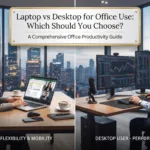
Laptop vs Desktop for Office Use: Which Should You Choose?
Compare laptops and desktops for UAE workplaces based on cost, performance, mobility, ergonomics, upgrades, thermal control and long-term office use.
Deciding between a laptop vs desktop for office deployment is an important consideration for operations managers, office administrators and IT teams across Dubai, Abu Dhabi and the wider UAE.
Modern laptops provide mobility for hybrid teams, client meetings and business travel, while desktops can provide a practical combination of performance, larger displays, easier component replacement and long-term value for employees who primarily work from a fixed desk.
⚡ Ready to Upgrade Your Office Setup?
Explore laptops, desktops and corporate IT hardware solutions for UAE businesses through Compeq.ae.
Table of Contents
Laptop vs Desktop for Office Environments in 2026
Hybrid working has increased demand for business laptops across Dubai's commercial hubs and corporate offices. Employees who regularly move between home, office, client locations and meeting rooms can benefit from having their complete workstation available in a portable device.
However, not every employee requires mobility. Accounting teams, receptionists, customer support employees and many administrative roles may spend most of their working day at one desk.
For these employees, a desktop or Mini PC paired with a larger monitor can provide a straightforward fixed workstation without paying for portability that may rarely be used.
Cost per Dirham & Performance Comparison
Laptop and desktop hardware is designed around different priorities. Laptop systems place greater emphasis on portability, battery operation and compact thermal designs, while desktop systems generally have more physical space for cooling, expansion and replaceable components.
| Factor | Commercial Office Laptop | Office Desktop PC | Best Fit |
|---|---|---|---|
| Hardware Price | AED 3,800 – AED 6,500 for comparable business configurations | AED 2,500 – AED 4,200 for many office configurations | Desktop for fixed desks |
| Mobility & Hybrid Work | Easy to move between office, home and meetings | Designed primarily for a fixed workstation | Laptop for mobile employees |
| Thermal Management | Compact cooling system designed around portability | Larger cooling solutions provide more thermal headroom | Desktop for sustained workloads |
| Upgrade & Repairability | Upgrade options vary significantly by model | RAM, storage and other components are often easier to replace | Desktop for long-term flexibility |
| Display & Ergonomics | 14–16" display with optional dock and external monitors | Works naturally with larger single or dual-monitor setups | Desktop for fixed desks |
Which Office Computer Setup Makes Sense?
Corporate Laptop Setup
A business laptop combined with a USB-C or Thunderbolt docking station and external monitors works well for employees who split their time between the office, home and meetings.
Ideal for: executives, sales teams, managers, consultants and hybrid employees.
SFF Desktop or Mini PC
A compact desktop or Mini PC can provide a clean fixed workstation while supporting larger displays, wired networking and common office applications.
Ideal for: accounting, administration, reception and customer support.
Dedicated Workstation
Engineering, architecture, CAD and 3D workloads may require workstation-class hardware with powerful CPUs, substantial memory and professional or high-performance GPUs.
Ideal for: engineers, architects, designers and 3D professionals.
Designing an Ergonomic Office Computer Setup UAE Workspaces Demand
A practical solution for many UAE businesses is to combine laptop mobility with the ergonomics of a desktop workstation.
An employee can use a lightweight 14-inch business laptop while their office desk includes a USB-C or Thunderbolt docking station connected to one or two larger monitors, a full-size keyboard, mouse and wired Ethernet connection.
When the employee needs to attend a meeting or work remotely, the laptop can be disconnected from the dock and taken with them. Returning to the office requires reconnecting the same workstation setup.
Laptop or Desktop: Which Fits Your Department Workflow?
Executive & Sales
Laptop systems are practical for client presentations, business travel, meetings and employees who regularly work away from their primary desk.
Finance & Accounting
Desktop or Mini PC setups paired with large displays and numeric keyboards can work well for spreadsheet-heavy workflows, ERP applications and financial reporting.
Architecture & 3D
Desktop workstations can provide the expansion, cooling and graphics performance needed for demanding CAD, Revit, 3ds Max and rendering workloads.
Customer Support
Employees who remain at fixed desks can often use compact desktops or Mini PCs with dual monitors for managing multiple applications.
Management
Managers who move between departments, meeting rooms and external locations may benefit from a business laptop combined with a dedicated desk setup.
IT & Technical Teams
IT teams may require a mixture of laptops, desktops and higher-performance workstations depending on employee mobility and application requirements.
💻 Building a New Office IT Setup?
Compare business laptops, desktops, Mini PCs and workstation configurations for your UAE workplace.
Office PC Buying Guide: Upgradability, Thermal Control & Lifespan
Office computer procurement should consider the total lifecycle of the hardware rather than only the initial purchase price.
Desktops can offer more accessible component replacement and expansion. Depending on the chassis and motherboard, businesses may be able to upgrade memory, storage, graphics and other components over time.
Laptop upgradeability is more model-dependent. Some business laptops provide replaceable memory or storage, while many thin-and-light systems use soldered components.
Battery condition is another consideration for mobile computers. Battery capacity naturally declines with use and may eventually require replacement, depending on the laptop design and service availability.
What Should UAE Businesses Check Before Buying?
Frequently Asked Questions
Is it cheaper to maintain desktops or laptops for a Dubai company?
Desktop maintenance can be more straightforward because many desktop components are replaceable and widely available. However, maintenance costs vary according to the brand, configuration, warranty and specific component that needs servicing.
Do desktop computers consume significantly more electricity?
Power consumption depends heavily on the processor, graphics hardware, power supply, monitor setup and workload. Typical office desktops may consume more power than equivalent laptops, but the difference for light office workloads can be relatively modest.
Is a laptop better for hybrid employees?
A laptop is generally more practical when employees regularly move between home, office, meetings and other locations because the same computer can travel with them. A docking station can provide a more desktop-like office experience.
Are desktops better for accounting and administration?
For employees who remain at fixed desks, desktops or Mini PCs can be a practical choice, particularly when paired with larger monitors and full-size keyboards. The final choice should depend on application requirements, mobility needs and procurement budget.
Which is better for CAD and 3D rendering: laptop or desktop?
Desktop workstations can provide more room for powerful cooling, graphics cards, memory and other components. Mobile workstations are also available when CAD or 3D professionals need to work outside the office.
Should companies buy the same computer for every employee?
Not necessarily. A role-based procurement strategy can be more practical. For example, sales and management may require laptops, while fixed administrative desks may work well with desktops or Mini PCs and specialist teams may require workstation-class hardware.
Strategic Office Computer Decision
The choice between a laptop vs desktop for office use should be based on employee mobility, application requirements, workspace design, performance needs and the expected hardware lifecycle.
For employees who travel, attend meetings or work from multiple locations, a business laptop combined with a docking station can provide a flexible solution. For stationary roles, compact desktops and Mini PCs can offer a practical fixed workstation with easier access to larger displays and replaceable components.
For engineering, architecture and 3D workloads, dedicated desktop workstations may be appropriate where sustained compute and graphics performance are important.
Looking for the Right Office Computer Setup?
Explore business laptops, desktops, Mini PCs and workstation hardware for UAE businesses. Build your office IT setup around the actual needs of your team with Compeq.ae.
Explore Office Computers on Compeq.ae